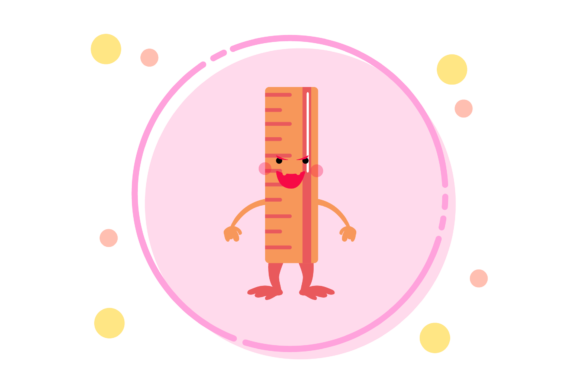
Back to School Kawaii Ruler Circle Art
When planning a seasonal design project, the right set of graphic assets can determine how smoothly the workflow runs and how consistent the final output feels. The Back to School Kawaii Ruler Circle Art collection offers a focused set of vector and raster files built around a playful, school-themed aesthetic. Whether you are preparing classroom materials, building a small product line, or scheduling social media content for the back-to-school season, this resource is designed to integrate directly into your existing production pipeline. It provides a balance between ready-to-use decorative elements and editable source files, giving you control over customization without requiring you to start from scratch.
Understanding the Asset Set and Its Role in Your Workflow
The Back to School Kawaii Ruler Circle Art bundle includes six digital files delivered across a range of common formats: AI, EPS, SVG, DXF, JPG, and PNG. The canvas size is set at 1920 pixels by 1280 pixels, which works well for print layouts, digital presentations, and web graphics alike. Because the files are provided in both vector (AI, EPS, SVG, DXF) and raster (JPG, PNG) formats, you can move between editing, printing, and publishing without needing to convert or recreate artwork at different stages.
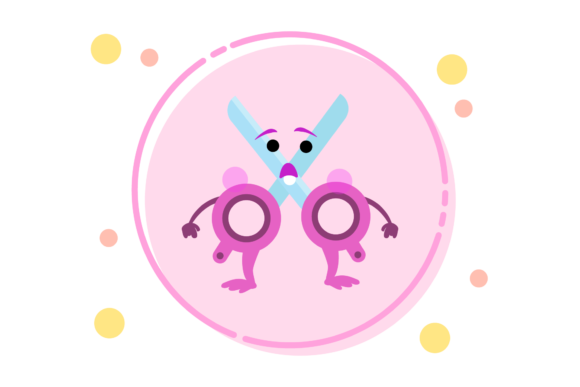
The core theme combines ruler imagery with circular compositions and a kawaii aesthetic—soft, friendly, and approachable. This makes the set particularly useful for projects that need to feel warm and inviting while still conveying an educational or structured theme. The circle art format lends itself well to badges, stickers, labels, profile icons, watermark stamps, and decorative frames. When you place these elements within a larger layout, they serve as accent pieces that reinforce the back-to-school mood without overwhelming the main content.
How This Fits Before, During, and After a Project
In the planning phase, you can review the SVG or AI files to assess color palettes, line weights, and composition style before committing to a broader design direction. This helps you align the asset theme with your brand guidelines or project brief early on, reducing the need for revisions later. During production, the editable vector files allow you to adjust colors, scale elements, or combine multiple pieces into a composite layout. The PNG files with transparent backgrounds are immediately usable in slide decks, social media templates, or printed sheets without further editing. After a project is published or delivered, the same files can be archived and reused for future seasonal campaigns, keeping your asset library lean and consistent across years.
Integration with Other Tools, Platforms, and Methods
Because the bundle includes SVG and DXF formats, it works with a wide range of design and production software. Adobe Illustrator, Affinity Designer, CorelDRAW, Inkscape, and Canva all handle SVG imports cleanly. The DXF format makes it possible to bring the artwork into cutting machine software such as Cricut Design Space or Silhouette Studio, which is particularly useful if you produce physical stickers, iron-on transfers, or paper crafts alongside digital content. For users who work primarily with raster-based editors like Photoshop or GIMP, the PNG and JPG files provide immediate drop-in layers that retain the transparent background in the PNG version.
The horizontal 1920x1280 canvas size aligns well with standard presentation slides (16:10 aspect ratio), social media story formats, and printed postcards or flyers at modest sizes. If you are building a template library for a team or classroom, this consistency means that every piece of artwork fits the same canvas space, making it easier to swap elements between projects without manual resizing or repositioning.
Practical Implementation Tips for Different Roles
For educators and instructional designers, the kawaii ruler circle art works well as a visual reward system. You can print the artwork as stickers or badges to acknowledge student participation, or embed the PNG files into digital worksheets and slides to create a friendly, engaging tone. Because the vector files are editable, you can also modify the colors to match school branding or grade-level themes.
For small business owners and solopreneurs, this asset set can speed up product creation. If you sell digital planners, printable stickers, or educational resources on platforms like Etsy or Teachers Pay Teachers, the circle art can serve as a cover accent, a logo stamp, or a repeating pattern base. Having the same artwork in both editable and flat formats means you can produce a mockup in PNG, refine it in AI, and finalize the cut lines in DXF without switching tools repeatedly.
For content creators and bloggers, the bundle supports visual consistency across posts. You can use the PNG version as a featured image overlay, a pin graphic accent, or a channel avatar placeholder during the back-to-school season. The SVG files let you extract individual graphic elements—such as a single ruler or a circular frame—and reuse them across multiple layouts without starting from scratch each time.
For hobbyists and DIY enthusiasts, the DXF and SVG files reduce preparation time for cutting machines. Instead of tracing or drawing ruler-themed shapes manually, you can load the file directly into your software, adjust the size, and cut. The kawaii style adds a playful element that works well for scrapbooking, party decorations, and personalized gifts.
Navigating Preparation, Compatibility, and Usability
Before using the files in your project, check that your software supports the format you intend to edit. Most modern vector editors handle AI, EPS, and SVG without issues, but if you are working with a web-based tool, SVG is the most reliable choice. For cutting machines, DXF is generally the safest format, though some workflows may require importing the SVG instead. The PNG file is 1920x1280 pixels at what appears to be standard resolution, so for large-format prints, you may want to use the vector files to scale up without losing quality.
Organization matters when you are building a recurring seasonal workflow. Create a folder for each season or campaign, and within it, subfolders for source files (AI, EPS, SVG) and output files (JPG, PNG, DXF). Naming the files consistently—for example, using the same base name with format suffixes—makes it easy to locate the version you need later. Because the bundle provides six formats, you can archive the files once and pull them into multiple projects without duplicating or reformatting.
Efficiency and Consistency Across Projects
One advantage of using a themed asset set like this is that the design language remains the same across every piece. If you use the ruler circle art on a cover page, a worksheet, and a social media graphic, the visual connection between those pieces strengthens your brand or classroom identity. You can further this consistency by locking the color palette early. Using the AI or EPS file, sample the dominant colors and create a swatch library that you apply to all related assets. That way, even if you later mix in additional elements, the overall tone stays cohesive.
Quality control is straightforward when you work with vector source files. Before exporting or publishing, check that scaled versions of the artwork maintain clean edges and that any text elements (if present in the original design) remain legible. Because the canvas is 1920x1280, you can preview the artwork on a screen at 100% zoom to see exactly how it will appear in digital contexts. For print, export from the vector file at 300 DPI at your target size to avoid pixelation.
Long-Term Use and Asset Management
Digital assets are most valuable when they are easy to find, edit, and reuse across multiple cycles. After the back-to-school season ends, store the Back to School Kawaii Ruler Circle Art files in a dedicated archive folder rather than leaving them scattered across project directories. When the next school season approaches, you can pull the files out, adjust colors or layout as needed, and adapt them to new contexts without recreating the artwork from scratch. Over time, this approach builds a library of consistent, high-quality assets that reduce the lead time for seasonal content.
If you work with a team, the variety of formats makes collaboration smoother. A designer can edit the AI file while a marketing coordinator uses the PNG for a newsletter, and a production specialist imports the DXF for physical goods. Everyone works from the same visual foundation without needing the same software or skill level.
The bundle's focus on a single, well-defined theme means you can pair it with other complementary resources—such as matching font packs, patterned backgrounds, or icon sets—without visual conflict. The kawaii ruler circle art is specific enough to anchor a project's identity but flexible enough to blend with broader design systems. This balance makes it a practical addition to any toolkit that regularly produces education-related or playful seasonal content.
By treating this asset set as part of a repeatable workflow rather than a one-off purchase, you gain efficiency in production, consistency in output, and flexibility across formats. Whether you are preparing materials for a classroom, building a product line, or refreshing your blog's seasonal look, the Back to School Kawaii Ruler Circle Art provides a solid foundation that fits into the way you actually work.